


Language Options for Your Customers

Give customers a more seamless experience by letting them interact with your business in their preferred language. Set your account default language in Company Settings for your checkouts, customer portal, affiliate pages, and transactional emails, with support for English, Spanish, French, and Italian.
Learn about Default Language settings
You can also force a specific supported language on a checkout with URL parameters. Customers whose browser prefers a different supported language will be given the option to switch while viewing your pages. After they make a purchase, their customer portal and emails continue in the same language, creating a more consistent experience from checkout through post-purchase.
Learn how to switch languages on a checkout
Customer Notification Emails: Upcoming Payment & Refunds
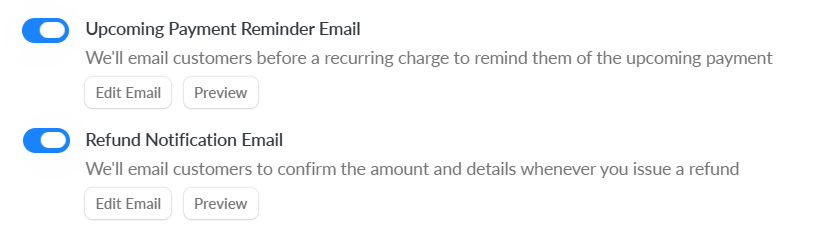
Keep customers informed with two new notification emails. Upcoming Payment Reminders can be scheduled to send a set number of days before a recurring payment. Refund Notifications are sent when you issue a refund. These can be turned on or off and edited in Customer Notification Settings.
Learn more
Checkout Limit: 1 Purchase Per Customer

Stop customers from purchasing through the same checkout more than once. Tracking is based on the email address used. This setting is retroactive, so when activated it will apply to all past customers who have used that checkout to make a purchase.
Learn more
Proration on Subscription Plan Changes
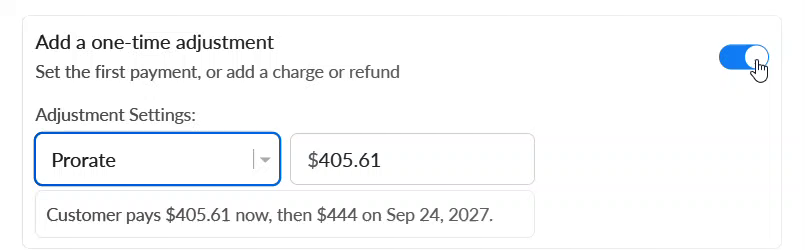
When changing a customer to a new subscription plan immediately, you can now automatically prorate the first payment on the new plan. Just use the one-time adjustment toggle, select Prorate and Spiffy handles the math for you.
Learn more
Skip Automations for Refunds
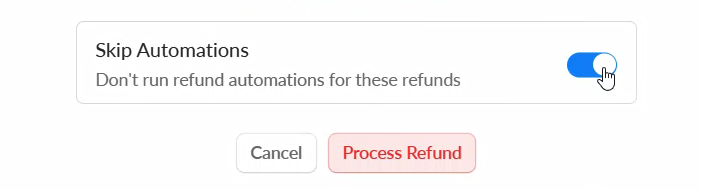
Skip refund automations when correcting duplicate purchases without accidentally remove a customer’s access to what they purchased, or for other refund scenarios that you don’t want automations to run.
Learn more
Reorder Affiliate Referral Links
Rearrange the order of the referral links on your Affiliate Program with our new drag & drop feature. The order shown on the Program will match what your affiliates see in their portal. New links are now automatically added to the bottom of the list by default.
Learn more