


Connect your Kit account (formerly ConvertKit) in a few simple steps through Spiffy Integrations.
Here’s a rundown of the powerful features you will have available:
- Customer Information Sync
Basic customer info will automatically sync to Kit - Field Mapping / Custom Fields
You can map and sync fields in Spiffy to custom fields in Kit. Learn More → - Checkout & Billing Automation
Set up automation triggers for checkouts, upsells, billing and more, applying tags or starting a sequence in Kit. Learn More → - Purchase Tracking
Every initial, recurring, installment, and upsell payment syncs to Kit with accurate tax and discount handling
How to Connect Kit
Kit uses open authorization, so as long as you are logged in to your Kit account you can easily connect to Spiffy.
1. In Spiffy, at the bottom of the left navigation bar, click on Settings > Integrations

2. Find and select Kit from the list of available integrations
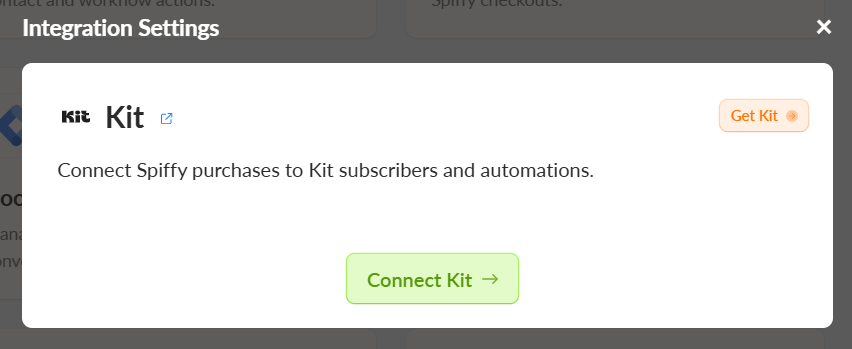
3. Select Connect Kit
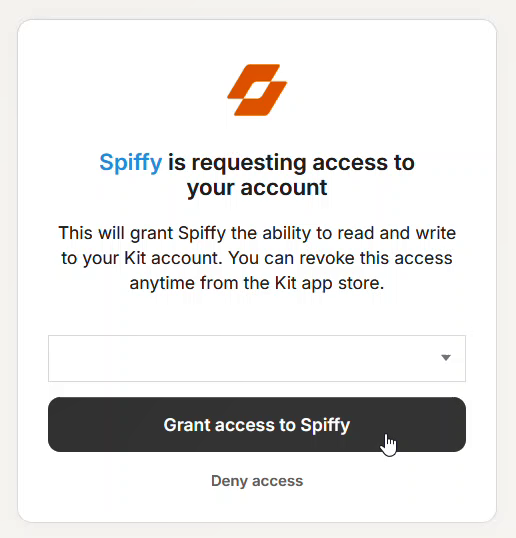
4. Select your account from the dropdown list and click Grant access to Spiffy
You’ve now connected your Kit account to Spiffy, don’t forget to set up Automations!
Learn more about Automations →